[su_youtube url=”https://www.youtube.com/watch?v=rOeRWRJ16yY”]
This just so exciting for the search industry.
It’s like the beginning of a era.
Web Search 4.0 literally (You heard it here first folks).
With the dramatic rise of A.I (Thanks to ChatGPT), and now Microsoft integrating that technology in BING’s search results, this a massive win for the people.
Almost reminds of when Yahoo was the king of the block, and then Google showed up out of nowhere and that was that.
Although Google isn’t fazing out just yet, Microsoft does seem to have the momentum, and les we forget, the support of the ‘people’.
At least at this point.
Let’s see how things pan out . . .
For now, here are some key points from Microsoft’s announcement on launching the A.I powered Bing, and their browser Edge.
If you are in a rush . . .
Bing has unveiled the Prometheus model, a and sophisticated big language model developed in collaboration with OpenAI.
Microsoft has applied its patented method to increase the model’s effectiveness and provide enhanced outcomes.
Bing’s homepage has been redesigned to provide a unified search, browser, and chat experience.
The AI technology behind Bing has been incorporated into Microsoft’s Edge web browser, and can facilitate routine operations.
The platform runs on Azure, the world’s most trusted cloud platform (According to Microsoft of coruse) and has been created with responsible AI concepts in mind.
Microsoft has also developed a testing system to evaluate platform vulnerabilities.
The Specifics
Bing’s search platform, which driven by OpenAI and Prometheus model, aimed to provide more relevant, and accurate results than previous search engines. The bespoke model has been built exclusively for search, and its usage of the Bing index and proprietary query algorithms improves the relevance of replies. Making the search results much more valuable to users. Bing has also updated its search ranking system, making it on par or better than rival search experiences. Big words, but let’s see how things play out.
It also appears that Bing has devised a proprietary method for collaborating with OpenAI. Which enables it to utilize the model’s capability more effectively. Using the Bing index and specialized query techniques, the relevance of replies can be enhanced, along with the annotation of answers with web links and citations.
Bing’s search ranking engine has also undergone significant development and now on level with or superior than all other search experiences. By establishing a unified experience, Bing reimagining how consumers interact with its capabilities across search, browser, and chat. The Bing site contains a search field that takes up to one thousand characters and compatible with language. The Bing provides answers, conversation, and the option to create on a single page, so saving users time.
It also a potent AI tool, that can help consumers develop content, and ignite their daily creativity. With its capacity to translate over 100 languages, and produce tailored emails, meal plans, and quiz games, Bing can simplify processes and save time.
The technology has been integrated into the Edge browser, allowing users to access it on their Windows PCs. With the addition of Bing’s AI capabilities, Edge now includes a summary function that, with a single click, extracts the most important points from PDFs. This feature can help users save time and access information quickly.
Microsoft and Bing, have designed a search platform that provides results at the pace of search latency. Thanks to Azure. The organization has worked hard to organize, and has designed a complicated set of distributed resources for performance and scale.
Microsoft has a long history of investing in responsible AI, and has established a foundation of implementation standards for responsible AI products. The corporation has employed generative AI technology in Bing, and Office, for spell checking and grammar rewriting for years. Bing has marshalled its complete resources in responsible AI to construct the search platform, which incorporates a state-of-the-art safety system.
Which enables the corporation to respond, and interpret data at every level of the application.
The user experience aimed to guarantee that users enjoy and learn at the same time.
Clutch Awards Hunter Canada As A Top Advertising Firm For 2021
SEO an industry that’s notorious for delivering great results. Especially if you with the right person or firm.
However, it usually requires several months to see any ROI. It’s just how the game works. If you are looking for results, search engine optimization might not be for you.
However, sometimes there are cases where a marketing firm can deliver results much quicker than expected.
Well, Hunter one of them.
Our mission to deliver the best possible SEO results for our clients and . We have our 90 day timeline that seems to have worked extremely well for most of our clients.
At the end of the day, our results speak for themselves.
That’s why, we’ve been named as a one of the Canadian marketing companies for the year 2021 by Clutch.
About Clutch
Clutch an industry leading platform that uses a unique verification system. This allows them to ensure that all the content on their site comes from legitimate sources.
Date from these then used to determine the performing businesses in every industry. They also conduct thorough post- interviews with clients to get the exact details
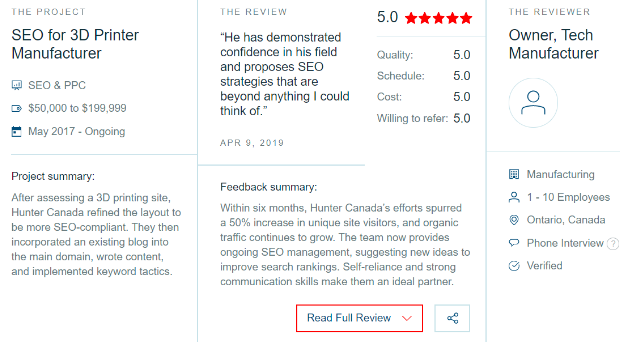
These are also used by a variety of other platforms and look a lot like this:
The fact we are recognized for our impressive performance by industry leaders like Clutch, actually very satisfying.
Hunter ‘s response:
“As an SEO Expert, I’m very impressed with Clutch’s commitment to quality and truly finding the best of the best. Also there customer service second to none. We are honoured to be picked by them as one of the 2021 service providers in ”. – Jibran Qazi, Owner of Hunter .
There’s a science to digital marketing and we definitely have the winning formula. If you want to apply this to your own company, get in touch with us and we’ll help you get to where you need to go.
Whether you are based in Vancouver, or anywhere around the world, we can put you on the map.
What Is A Subdomain And Why You Should Never Use It
One of the worst ways to shoot your growth in the foot and make your marketing team’s job twice as hard (Literally), by adding your blog, faq or help section on a sub domain.
On average, if your blog or other content rich section on your site currently on a subdomain, you are losing an additional 30 percent your of business on average.
At least in my experience.
What a Subdomain?
A site address (URL) like the following referred to as the main domain: mysite.com
If you have a site that has the following URL: whatever.mysite.com
That referred to as a subdomain.
Example:
blog.yoursite.com
faq.yoursite.com
help.yoursite.com and so on . . .
If you have any sections that you plan to grow on a regular basis (By adding content), do not create a subdomain for them.
To make matters worst, I have recently come across sites that actually have their main site on a subdomain like:
Example: shop.mysite.com
This one of the worst of all SEO crimes.
Although there are some rare situations where having a subdomain can actually for you, 99.9 percent of startups or websites in the entire universedon’t need them at all.
As far as SEO concerned, sub domains should be avoided like the plague.
Why Subdomains Are A Horrible Idea
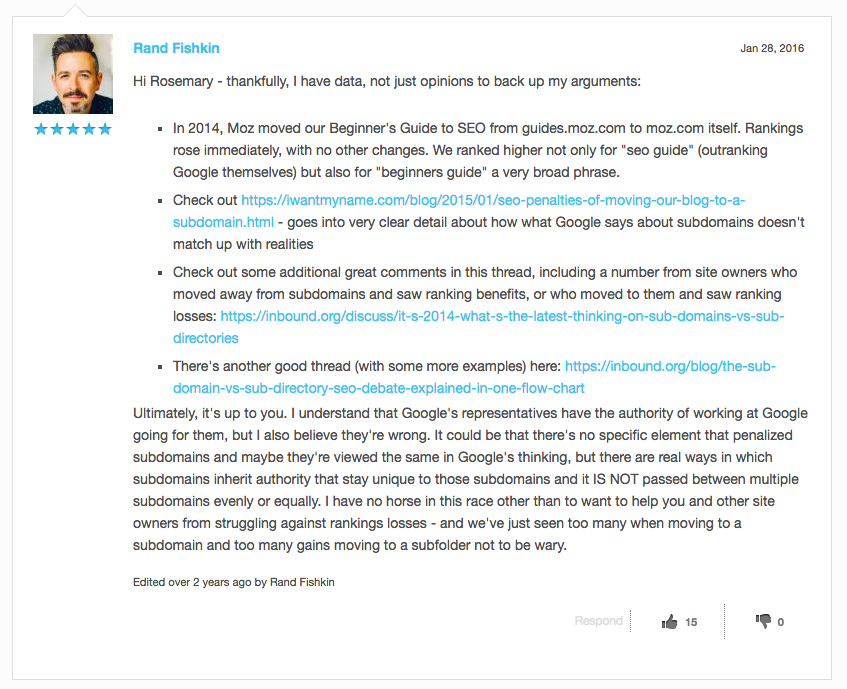
Let’s see what Moz’s founder (Considered one of the highest authority on SEO) said about subdomains after they moved their own subdomain (guides.moz.com) to a sub-folder(moz.com/-guide-to-seo).
PLEASE NOTE: This specific MOZ’s page ranks on the first page on Google.com (US) for the keyword “SEO” by the way.
That says something doesn’t it?
Anyways, let’s get to it . . .
Exactly.
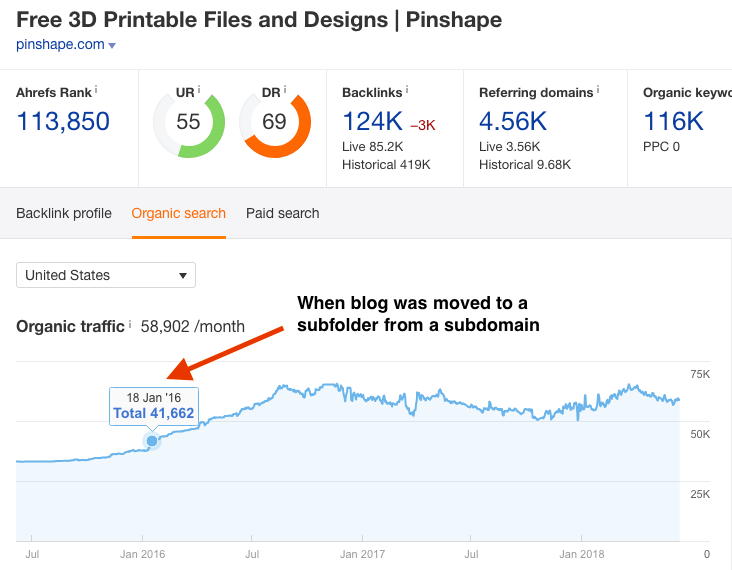
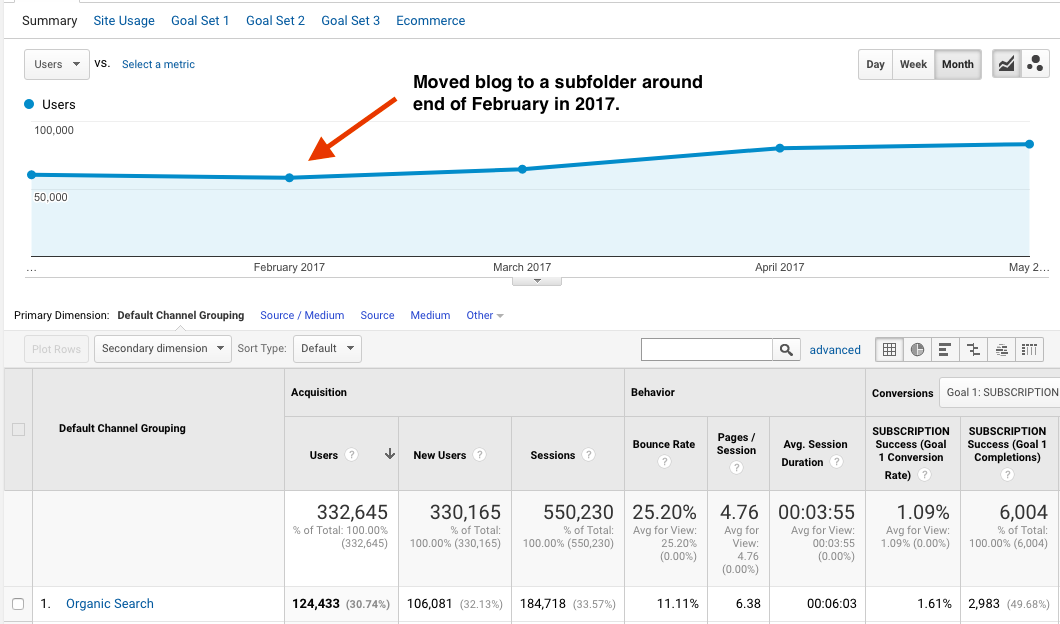
A blog hosted on a subfolder will take your entire site’s traffic to the next level.
Pinshape.com: 500 percent growth in just 7 months.
Private Client (SAAS): After moving the blog from a subdomain to a subfolder,bwe surpassed 4 million in sales in just 4 months.
As you can see, a simple change can drastically improve your traffic situation. I’m not saying moving your blog to a subdomain will solve all your traffic woes (You do have to run a site audit and fix any other immediate issues) but this move will finally set your site up for real growth.
Now the question , why having subdomains a horrible idea?
Well there are three ways in which subdomains kill your traffic and especially your future growth.
Subdomains don’t pass link juice to your main domain.
Doubles your marketing while diminishing your results.
Lots of popular resources and blogs refuse to link to subdomains.
1. No Link Juice = No Rankings
To understand this, first we need to look at how Google ranks a site.
Google likes sites that have awesome content and links from other sites.
Of course SEO a process that much more complicated but in a nutshell, that’s exactly what it .
When someone links to your site, it passes off something called ‘link juice’ on to your site.
[su_note note_color=”#f3c677″ radius=”5″]The problem subdomains DO NOT pass any link juice to the main domain.[/su_note]
Few years ago, Subdomains did pass on link juice to the main domain but then something happened . . .
When people figured out that subdomains would pass on link juice, they started creating hundreds and thousands of subdomains and starting linking to their main site.
All in an attempt to the ‘game’ Google and create their own ‘Link Popularity’ or ‘Link Juice’.
Did it ?
Boy howdy it worked like gang busters!
However, like all newly discovered SEO strategy , many people started abusing this technique and when Google’s search results started getting thrown off, Google finally decided to put it’s foot down. Eventually, this fund ride was over and Google labelled this technique as ‘subdomain spamming’.
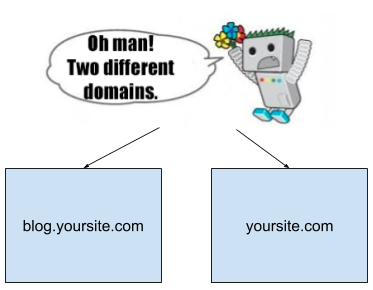
This also when Google stopped passing link juice from subdomains to main domains hence making them completely separate from each other.
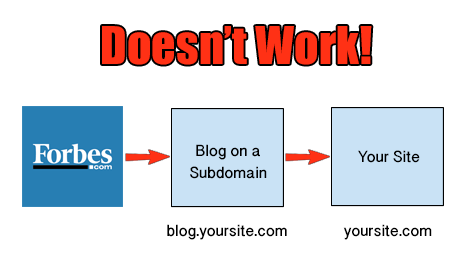
[su_note note_color=”#f3c677″ radius=”5″]Bottom line, today a link from your own subdomain absolutely useless.[/su_note]
So even if you get a link from Forbes that pointing to your subdomain, and you decide to link to your main domain from that exact subdomain, it won’t effect your rankings one bit.
That specific subdomain (Your blog) might get a boost but guess what?
Nothing changes on your main domain.
So now you have to worry about marketing two sites instead of one.
This leads into my second point:
2. Subdomains Double Your Marketing / .
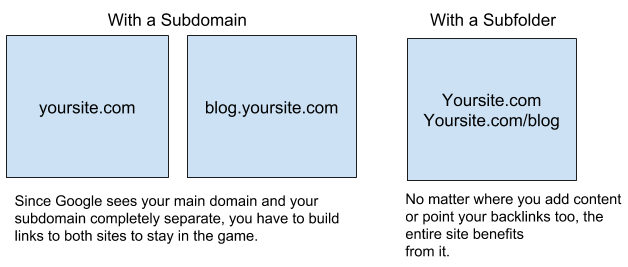
Since Google sees subdomains as completely separate and they don’t pass off any link juice, you would now have to promote your blog (blog.yoursite.com) and your main domain as well.
You would literally have to do double the .
Which means you not only have to add content and get backlinks for your main site but also your blog as well.
Not a very smart do SEO if you ask me.
Getting quality links already hard enough but when you have to do it for two sites, it gets annoying real .
3. Most Sites DON’T Link To Subdomains
Now a lot of people don’t know this but just by having your blog on a subdomain, you are drastically cutting down a lot of possible future link building opportunities.
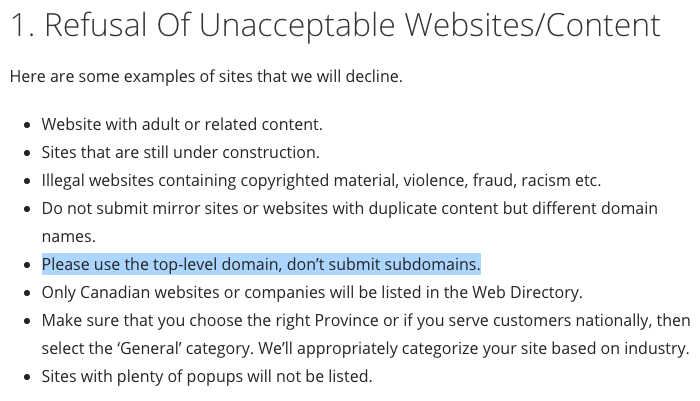
If you do any kind of link building yourself, you know that most sites don’t link to subdomains.
That’s why you hardly see any blogger.com or Tumblr.com links in quality directories or even in guest post opportunities.
Here an example of such a directory’s terms and conditions:
Having multiple links from one specific domain (Even subdomains) looks spammy and it’s just a bad user experience, so I understand why these directory owners don’t like that.
So now you are not only wasting extra time finding someone to link to your subdomains, but most sites won’t even link back to you in the first place.
What a horrible waste of effort and time eh?
Anyways, enough of the bad stuff.
Now let’s focus on how moving your blog, faq or help section to a subfolder will dramatically increase your traffic.
Subdomain vs Subdirectory – Why Hosting Your Blog On A SubFolder Works?
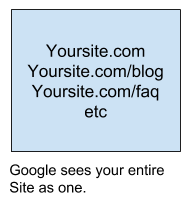
When you place your blog on a subfolder, it naturally becomes part of your site.
Just a simple extension.
Nothing too complicated for Google to crawl or rank.
Which looks more to you anyways?
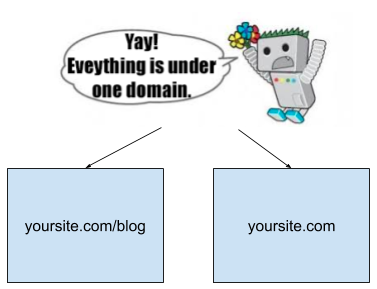
blog.mysite.com or mysite.com/blog
Exactly!
Plus now when anyone links to your blog, the ‘link juice’ spread throughout the entire site (Including your main domain) and vice versa.
Once this move made, it’s time to take over your niche.
All you have to do keep adding quality content and backlinks.
That’s it!
As you may have gathered, subfolders always outperform subdomains.
I would like to take this to the next level and share with you exactly why this happens.
Google considers sub-domains completely separate from the main domain.
Especially from a technical SEO point of view.
They might call it “Sub” domain but there nothing “sub” about it.
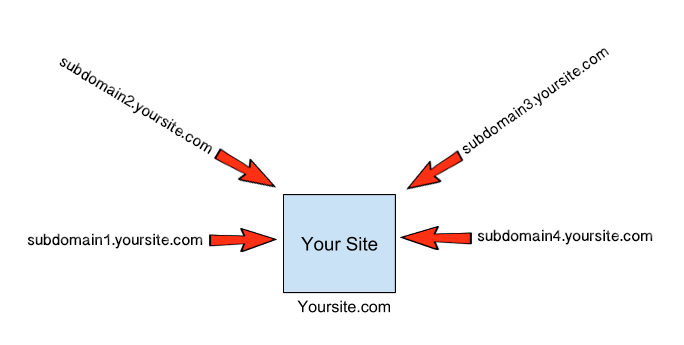
If you have a link coming in from one of your sub-domains (blog.yoursite.com) pointing to yoursite.com, it’s equivalent of having a link from a third party.
The worst part at least from a third party, you can still get the link juice but not from your own domain.
There a historical reason for this which I discuss later.
The proper way to have everything under one domain.
Two things happen when you put everything under one domain:
Link juice spread throughout the site.
It makes it really easy and therefore efficient for Google to crawl your site.
History Lesson
Many years ago, subdomains actually did pass off decent amount of link juice.
When webmasters found out about it, they naturally started abusing this technique to manipulate the search engines.
Soon thousands of webmasters were creating thousands of subdomains and pointing them to their main site. It worked like gangbusters and actually became a very successful way of manipulating the search engines and get 10 rankings.
Eventually, when Google users started seeing crappy results showing up for their search terms and started complaining, the Google team eventually figured it all out and put a stop to it.
They soon adjusted their algorithm and this was the end of what became known as “subdomain spamming”.
Personal Experience
One of the first things that I always recommend moving everything to a subfolder (At least as much as possible).
In fact, we won’t be working together if you don’t because frankly, you won’t get any real results.
Why waste each other’s time right?
So whether it’s your blog (blog.yoursite.com), your shopping cart (shop.yoursite.com), your help section (faq.yoursite.com) or anything that plays a role in helping the user ‘convert’, it must be hosted on a subdirectory (Subfolder).
It’s just the right way of doing things.
Also think about it for a second . . . doesn’t having everything under one umbrella makes more sense?
Wouldn’t it create a more aligned and therefore overall better user experience?
When everything under one roof, the user will naturally feel more confident and most importantly, less “confused” as they hang out on your site, clicking away from one page to another.
Imagine someone lands on yoursite.com. They select a that you are selling and then click the ‘add to cart’ button. Next thing you know, they are on an entirely different domain like shop.yoursite.com.
Wouldn’t that be a confusing experience?
For the less technically inclined, they could easily take this as a possible redflag and most likely, immediately abandon your shopping cart.
It’s probably happening to you right now and that’s why your sales aren’t what they could be.
Don’t Expect To Rank High With Subdomains
Unless you are Microsoft, Apple or a massive household worldwide (You won’t need SEO at this point anyways), don’t expect to dominate or let alone rank for high volume or niche leading keywords in your .
When you separate your own sites, your link juice doesn’t get distributed properly either. A link from Forbes or Huffington post to your shopping cart at shop.mysite.com isn’t going to benefit your main site at all.
It’s just a sad waste of a high quality link. I’ve seen this specific scenario way too many times.
No link juice = no results.
Get Real Results
When I started working with Pinshape (World’s leading 3D printing marketplace), their traffic was pretty much plateaued. After running it through my various checks and analyzing the site, one of the first initial moves I made was getting rid of their blog.pinshape.com subdomain and redirecting it to pinshape.com/blog (We used 301 redirects on all previous links).
As soon as Google re-indexed this entire move, all our traffic went up (Currently ranking on the first page for the keyword 3D Scanner on Google.com and .ca). Best part you see the results fairly quickly too.
All in a matter of just a few weeks.
I did the same thing for another client right after that and in less that 90 days, they started ranking for ‘3D printer’. A massive keyword and their overall traffic went up.
Of course other factors were at play here as well and it truly depends on your site’s current situation but getting rid of the subdomains played a key role.
No doubt about it.
So at the end of the day, if your are getting traffic but your sales are less than satisfactory, your site architecture might be holding your progress back.
Even if you have incredible content, tons of regular PR and quality backlinks, you site must be easy to navigate for Googlebot (Google’s algorithm) as well.
Or you are literally wasting all your time and effort.
As I always say, “If Google can’t crawl you, it just won’t rank you”.
Removing subdomains and consolidating your link juice a great way of setting up your site for long term success.
Once such moves are completed, than you can fully concentrate on the growth of the site with content, link building and by utilizing any other opportunities that may pop up.
It truly as simple as that.
What about sites like Hubspot, Kissmetrics and other established digital marketing sites? Why their blog on a subdomain?
These are companies that started years ago. They are more like household brands so whether they host their blog on a subdomain or not, it won’t effect their bottom line.
However, if they ever do make the switch, they will definitely notice a dramatic increase in their traffic.
What about all these helpdesk services like Zendesk, etc? Should I abandon them?
Only use these services for what they are built for and that to submit support related tickets. That’s it.
Do not add any additional content here.
Add all the FAQ related section on a subfolder (mainsite.com/faq).
If you can avoid using helpdesk software that hosted on subdomains, that would be the ideal situation.
In addition, add a nofollow tag on your menu bar or anywhere where it links out to your subdomains. This will keep the link juice intact on your main domain.
Should I use subdomains for international sections? I currently provide service to foreign markets like germany.mysite.com and france.mysite.com. this a good idea?
No. To add international sections, you can move them to a subfolder. For Germany, it should be mysite.com/de and for France it’s suppose to mysite.com/FR
Basically, use the same country code as Google does as a subfolder.
Also keep all that content even if it’s in a foreign language on one main domain. Google can decipher what language a certain kind of text in. Avoid using HREFLANG tags too.
If you don’t use them properly, like most people who try to implement them, you will confuse the living daylights out of Google and you won’t rank for anything in your niche (Maybe just for branded keywords).
When should I use subdomains?
The ideal situation would be never but if you must, only use subdomains to host members only content.
That’s it.
There literally no other use for using subdomains. I hope Google gets rid of them soon. My prediction they will.
Power of Email Reminders
Even in this day and age, where using the internet just a regular thing for most, it’s amazing how almost every potential client I meet not utilizing this tool.
I’m talking about funded established organizations that are totally oblivious on how they are missing out on at least 30 percent in revenue.
No I’m not talking about NoseBook (Facebook), InstaSpying (Instagram) or any other social media tool that people waste their time on.
I’m talking about the classic and ever so lovely autoresponder. Originally used to send just reminders through email, the auto responder has now developed into a full on email marketing automation powerhouse.
If you are not using some variation of an autoresponder on your web presence, you are missing out on some decent and consistent sales / traffic.
It’s the easiest get a minimum 30 percent increase in your conversions right now (From your existing traffic) and your own in-house tech team can implement it in a few days.
Let’s look at some numbers . . .
According to the National Client Email Report, the ROI on every email sent that would cost $1 $38. Now that’s a ROI.
WBresearch concluded that 80 percent of marketers prefer email marketing to acquire customers. It makes sense because everyone has an email. After all, you need an email address to join any of these annoying social networks that are out there today. Also email a , tried and tested technology. Most people trust it.
Conversion rate of email marketing much higher than social media. Smart Insights just conducted a study in December 2017 and found out the overall conversions from email are much higher than any other social media channels.
I can go on and on with the stats but I think you get the idea.
Heck I’ve personally used this system or variations of it for the past 10 years and it kills it every time.
Month after month.
I’m using it on this site as well. It just works.
Also I’m not a social media hater but I don’t waste time on the next ‘big’ thing.
Stick to what works and you’ll get the results you seek.
Anyways, a robust autoresponder / newsletter system will help you build relationships with potential customers, will keep your website rising in the search engines (Due to consistent direct traffic that spreads to other pages) and finally, increase conversions due to massive trust that was built by a properly laid out system.
If you are not using an autoresponder / newsletter system, you are leaving money on the table.
It’s as simple as that.
So moving forward, it with great pleasure that I would like to share my personal “secret sauce” on how to implement an autoresponder / newsletter system on your website.
My goal to help you see the true power of this awesome system.
If you are just starting out with a website, this could be really phenomenal stuff for your growth.
However, if you currently have 10 rankings and some great products to go along with it, implementing a newsletter / autoresponder system will only help you convert a whole lot more.
Now before we dive in further, let’s first look at how this whole ‘art of selling’ works.
Once you understand this basic concept, than you’ll have way more fun with it. By fun I mean more sales.
Whether it’s in the ‘physical’ world or ”, the way you sell something the same anywhere.
Let’s have a look at how this process works in the “Physical” world first.
Generally speaking, there are 3 types of people who will visit your brick and mortar store:
Visitor Type 1 (V1) : The Window Shopper.
Visitor Type 2 (V2): The “On The Fence” Visitor.
Visitor Type 3 (V3): The Buyer.
Window Shopper
"On The Fence" Person
The Buyer
Physical World
This person is just hanging out. They have no interest in what you are selling and they are not looking to buy anything either. Just walking around, killing time . . .
This person is interested in your product but is just not ready to make a purchase. They are the kind who will ask you for more info (Perhaps a brochure), take it, will make some small talk (Oh the weather eh . . . ) and then move on.
This person knows what they want and that's why they are in your store. They will pay you, get the product and leave.
Online World
They are just 'browsing' as it's called online. At most, they might be doing some research on the subject but that's pretty much it.
They like what your website has to offer. However, something is holding them back. They just can't seem to 'trust' you enough to whip out their credit card and proceed with the sale.
They know what you are selling and that is why they came to your website. They punch in their credit card info and they are done.
So what does this tell you?
Whose contact information should you get?, follow up with?, offer value and close the sale?
The answer Visitor Type 2.
Why should you even bother to contact Visitor Type 2?
The “Visitor Type 2” will be between 30 percent to 90 percent of your business (Depending on your ).
When you don’t contact them, you are losing up to 90 percent of your business.
With a minimum loss of at least 30 percent.
Either way you look at it, that’s a lot of business.
As I mentioned earlier, the “Visitor Type 2” people are interested in your offer but either need more information or at some point, you simply need to remind them.
That’s it.
How do you build trust and establish a relationship with the ‘Visitor Type 2’?
It’s very simple.
By giving away free valuable information.
Let’s jump back to the physical world for a second . . .
When you give a brochure or free information in the ‘physical’ world, it does a lot of things . . .
It shows the visitor that you know your stuff (Makes you look like an expert).
It shows the visitor that you would rather educate them (Or help them) in their buying decision instead of blatantly sell to them. Basically, what you are doing at this point giving real value.
It shows the visitor that you are more than willing to build somewhat of a relationship with them. Which shows your lead that you are genuine and this establishes the thing that matters the most . . . trust).
You are showing your visitor (Who you are a complete stranger to, never forget that), that you know your stuff.
In addition, you are also educating your visitor so they make the best buying decision. Long story short, you are helping them decide if your or service genuinely right for them or not.
This naturally establishes trust within and they feel comfortable dealing with you.
Plus when you give free information through your website, you are using a tried and tested sales process that has been around since the first sale was ever made in history.
Which was when Eric “The Caveman” Cornelius exchanged his two sticks for Jason “The Bison Killer” McGee’s rock.
Okay . . . I made this last part up but you get the point.
[su_note note_color=”#fce1b1″ radius=”5″]“People would rather pay more money to someone they trust than deal with a less trustworthy person”.[/su_note]
Next step to give them information regularly. In fact this an essential step. As most “Visitor Type 2” buyers, won’t make a buying decision on the spot. So in exchange for a brochure, you get “Visitor Type 2″s basic contact information.
These guys are interested in what you have to offer so the majority of them won’t say no.
This simple process gives them the information they need and gives you a follow up with them as well.
Eventually you will call them, talk for a few and than close the sale.
So just to recap:
Selling In The Physical World
Visitor Type 2 walks into your store.
You give them a brochure in exchange for their contact info.
You follow up with them (Call them, Email them, etc).
Soon the sale is closed.
Either by you presenting a call to action or by the “Visitor Type 2” themselves.
This how a sale made in the ‘physical’ world.
How do you mimic this entire sales process ?
When someone lands on your website, how can you say “Sir or Madam, if you like some more information regarding our products or services, I can call you later this week . . ”
Now to apply this customer relationship building process , you need a special ‘tool’ and this where a email marketing and an autoresponder system comes in.
Selling In The Physical World
Selling In The "Online" World
Visitor Type 2 walks into your store.
Visitor Type 2 lands on your website.
You give them a brochure in exchange for their contact info.
You offer them an 'eBook, Brochure, PDF, etc' for their email.
You follow up with them (Call them, Email them, etc).
An automated email sequence follows up with them with a link to your site.
Sale is closed.
Sale is closed.
Visitor Type 2 lands on your site.
Sees an offer attached to an email form.
Signs Up.
Starts Getting Your Emails.
Eventually Takes Action. Sale or unsubscribed.
As you can see, it’s literally the exact same process.
That’s it.
However, an incredible advantage you have with this system your ‘sales person’ replaced by an automated system.
A 100 percent, hands free automated sales system, that runs like a well oiled machine day in and day out, 24 / 7.
Can you see the power of this system and why all the big boys (Amazon, Wayfair, etc) use it?
Now let me show you how to implement it properly.
We’ll do this in the two simple steps first:
The Initial Email Offer:
What can you give the visitor so they will be happy to give you their email address?
The Email Sequence: What will you put in your emails?
The Initial Offer:
Here the idea to get your customer to give your their contact information ,
Now this where you might have to do some testing as it all depends on your niche. You really have to do some digging around to see what works but in my case, people come to me because I can get them more customers.
How do I do that?
By ranking their websites for their targeted keywords.
So my offer on the site case studies of how I’ve ranked sites in the past.
This entices my visitor who naturally looking for customers on how I do it and than go from there.
So what you need to do ask your self the following questions:
What does my customer want from me?
How would my or service benefit them?
Than give them the appropriate information in the shape of a PDF, Video series, just email newsletters, etc
Here are some examples:
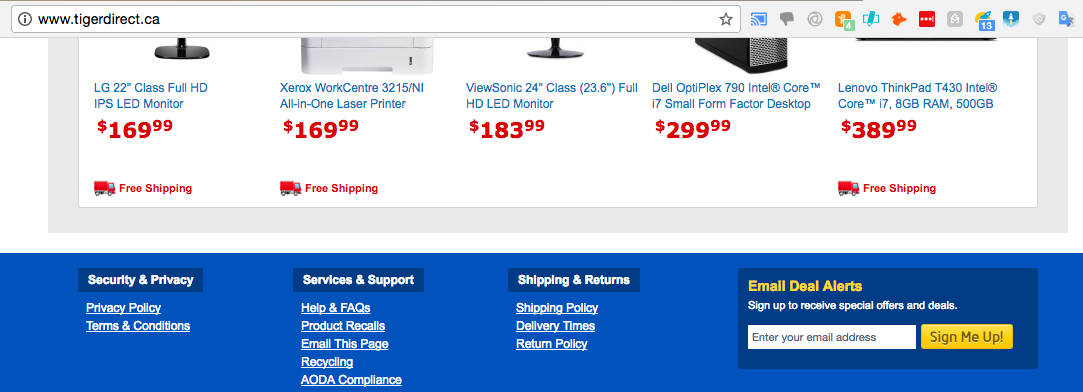
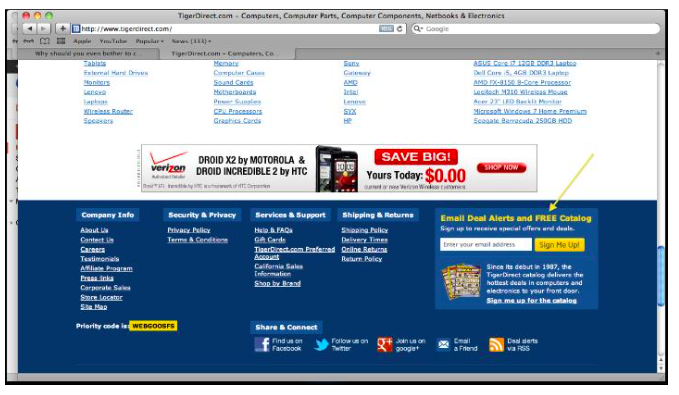
TigerDirect uses “Email Deal Alerts”. They get users to sign up by offering them special deals. A pretty common way of getting the “Visitor Type 2” email address.
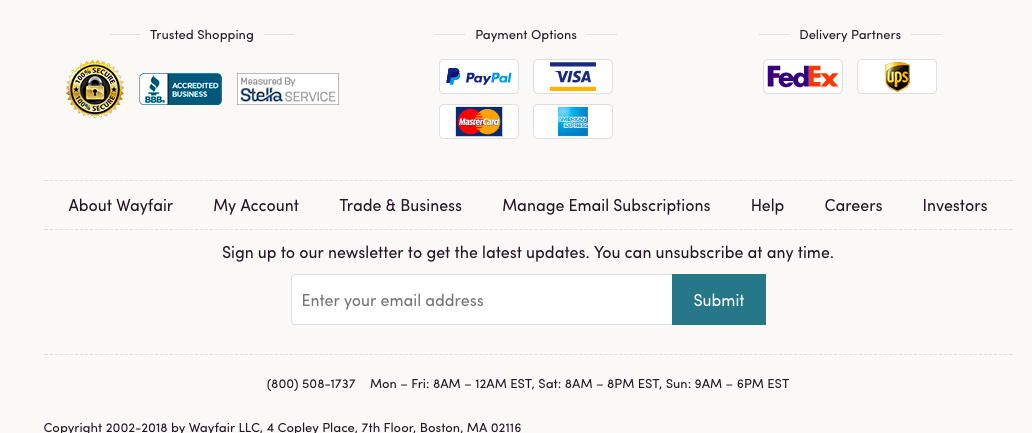
Wayfair.ca uses something similar as well.
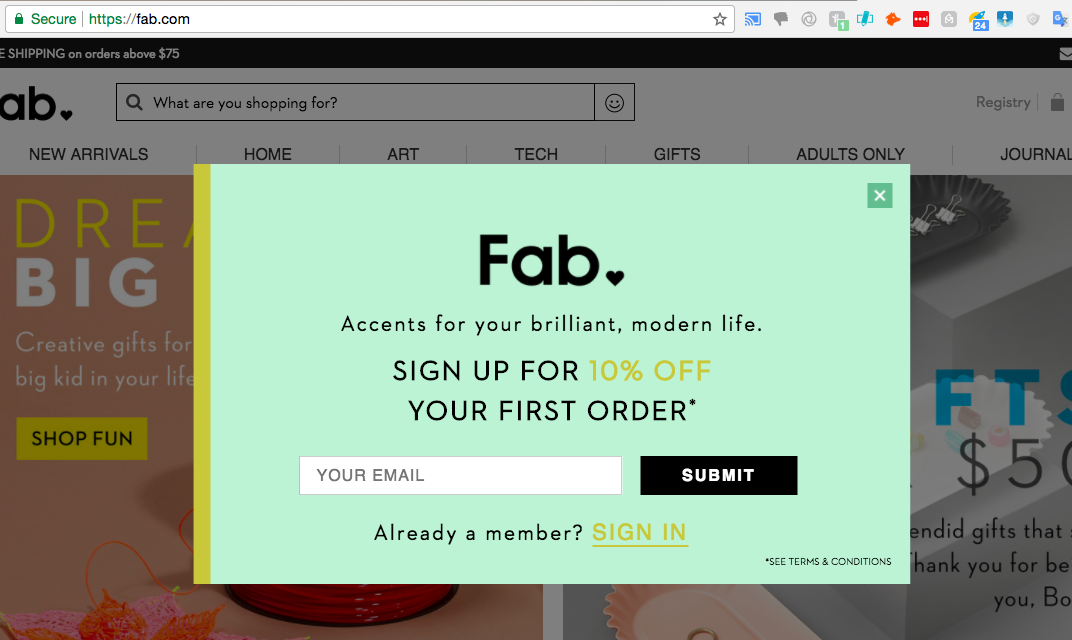
Fab.com uses straight up hover ad (They convert very well by the way) and offers a 10 percent off discount to each person who signs up.
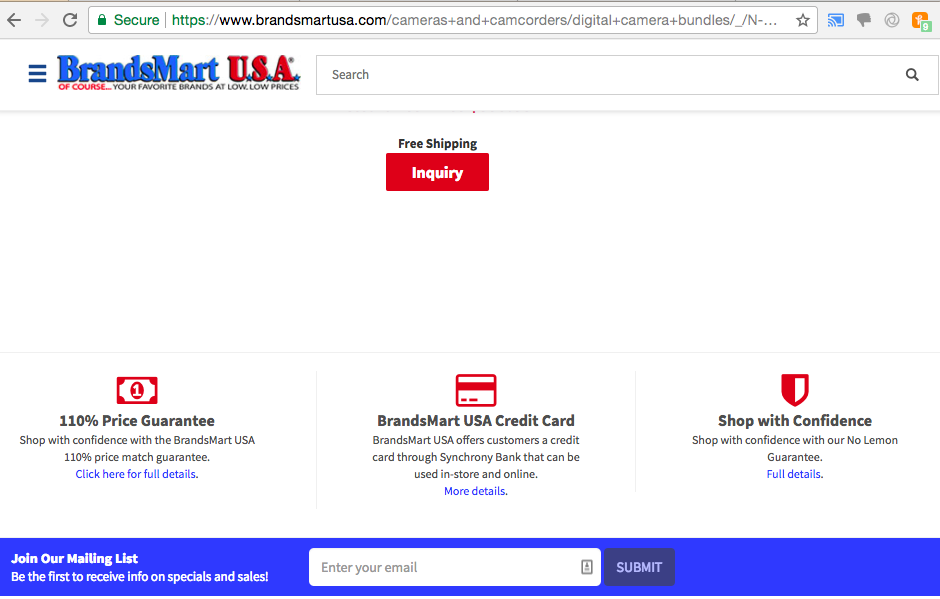
These guys are on the first page for the keyword “Digital cameras”. Everyone on that page a freaking SHARK in the SEO world. BrandsMart USA not only holding their ground but making tremendous sales:
So as you can see, there are many different offers that you can present your visitor with.
Just offer them something helpful and most likely, they will sign up for sure.
So now that you have some idea on how to setup an offer, let’s look at how to setup a winning email sequence.
The Email Sequence
Now that you have your ‘LEAD’, how do you convert it to a buyer?
Before you setup your email sequence, I want you to understand how to convert a ‘lead’ to a buyer.
This where the ‘Conversion Cycle’ comes in.
Of course it’s just an example but hopefully this will help you understand the “psychology” of a buyer.
‘Conversion’ basically refers to when your lead takes action (Purchases something from your website).
Or
When a visitor does something that you wanted them to do in the first place.
Basically, take the desired action.
Stages of a Conversion Cycle
Visitor’s Action Stage
Visitor’s Mind Set
Conversion Cycle
Stage 1:
After seeing a lot of wonderful information on your site, and your opt-in offer “Sign up and get 50{ebd8a23e45966e4b59db7b7dd2908250df474fbe8f417fdeff24df65f4edfd87} off on your initial purchase!” the visitor signs up using your opt-in form.
“Wow, 50{ebd8a23e45966e4b59db7b7dd2908250df474fbe8f417fdeff24df65f4edfd87} off sure sign me up!
The beginning of the conversion cycle . . .
Stage 2:
After 7 days, you send them a friendly newsletter with new product info etc.
“Oh, nice, hmmm cool stuff and if I buy I’ll get 50{ebd8a23e45966e4b59db7b7dd2908250df474fbe8f417fdeff24df65f4edfd87} off as well. Okay. Let me have a look but I don’t know if I’m ready to buy just yet”.
The buyer wants their 50{ebd8a23e45966e4b59db7b7dd2908250df474fbe8f417fdeff24df65f4edfd87} discount and the product but is still unsure . . . Good news is now the trust level is getting higher.
Stage 3:
After 14 days, you send them another newsletter with new product info etc.
“Oh sweet look at these products, I might be interested in getting it at this point . . .hmmmm”
Trust level is much higher than last week. Initial doubt of being a fake website or a fly by night operation is disappearing. Now, they are getting more interested in doing business with you for sure.
Stage 4:
After 21 days, you send them another newsletter with new product info etc.
“Do they still have that product on sale? Oh they don’t? Hmmm I wish they did I would have probably got it this time”.
Doubts of being a fake website are gone, they are now awaiting any good deals so they can make a purchase if necessary.
Stage 5:
After 28 days, you send them another newsletter with new product info etc.
“Oh I remember these guys, I can sure go for that product. Wow, it’s back, I want it and I’ll get it at 50{ebd8a23e45966e4b59db7b7dd2908250df474fbe8f417fdeff24df65f4edfd87} off! Yes!”.
The buyer knows you are for real, likes the discount and buys their first product. You delivered their product on time, promptly and in a professional manner. Congratulations. Now you got a customer for life.
You see how ?
Most marketers say that you have to contact a visitor 7 times before they take action. I guess it varies but on average, that’s what a lot of experts say.
It depends on various things like your initial offer, the first impression of your website and so on but overall, most people would say that yes 7 definitely the number.
If you really think about it, this whole process it’s nothing but human nature.
For example, do you remember the first time you met someone at your and started somewhat of a friendship with them?
How long did it take for you guys to hangout after ?
How long did it take for you guys to go to the local bars together and develop a friendship or something along those lines?
A certain period of time must pass before we start trusting each other.
It’s normal, it’s human nature and the same thing goes here.
It takes a little time before you convert a total stranger to your customer.
So to create this ‘conversion’, you need to send emails to your lead on a regular basis.
How to set up your Email Sequence?
This where you need to be a little strategic and plan your sequence out on paper before setting it up.
I’m going to use this site as an example.
When someone signs up through my homepage or blog, they get hit by the following weekly email sequence.
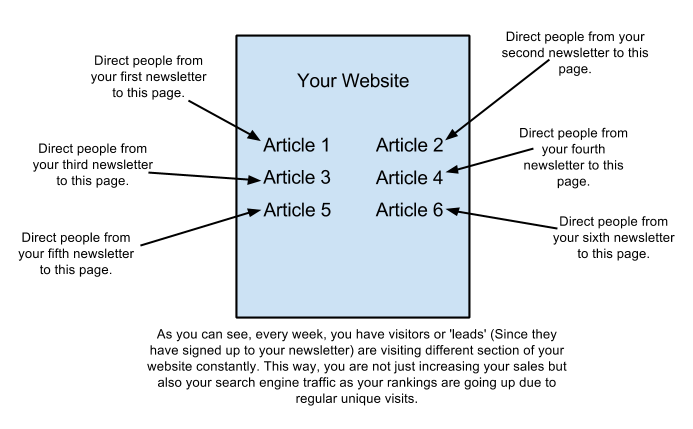
As you can see, each week they get redirected to a case study. Another look at it they get redirected to a page. This keeps sending traffic to all my pages on a regular basis which keeps my site in front of anyone who’s interested AND helps me keep rising in the search engines due to on going consistent traffic.
Here a diagram that will help you understand more:
This one of the most powerful way of getting real people to your website and at the same time, it keeps your website rising in the search engines because you are getting real people to your website (From unique IP addresses) on a consistent basis.
Powerful ain’t it?
Increasing sales and increasing conversions automatically.
This how you stay on the of Google and dominate your niche while making sales.
I love it.
In addition, at the bottom of each email they get, there a line that reads:
PS: I hope you enjoyed this case study. If you would like to see similar results for your business, contact me here:
That’s it.
My simple call to action.
So moving forward, spend some time on creating a good email sequence and definitely try to be as strategic as possible. Take a few days for it and plan it properly.
This way, you’ll get the most bang for your buck.
So now that you understand how this system works, I would like to share my own “Advanced Strategies”.
What Should I Put In My Emails?
The content within your newsletter should be relevant to the you are catering to.
Basically, sending them the content that you promised them once they signed up. I mean that’s pretty obvious.
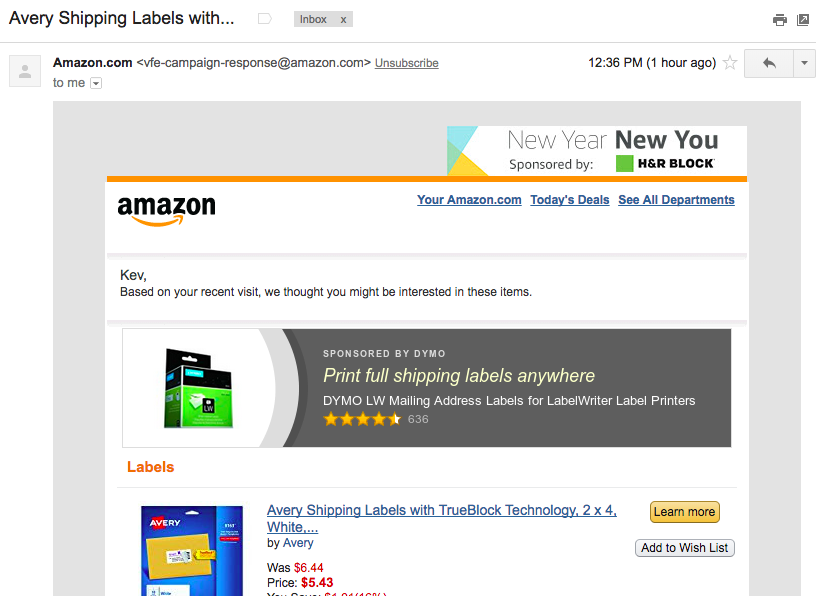
Here An Example of Amazon’s Newsletter:
You see, Amazon uses this system too.
After all, you don’t become an e-commerce boss by not utilizing every tactic in the book and then some.
So what should you put in your newsletter?
The type of content you should put in your emails really depends on what your wants and your creativity.
However, one thing to remember always direct them to content that on your site.
Or it would kind of defeat the purpose.
Here are some ideas that will help you create some content for your emails:
Create 99 or 50 or 10 or lists of that nature (These are very popular). For example: 99 reasons why you should not watch a scary movie,etc – Depends on your niche of course.
Make Videos / Tutorials and place them on your site somewhere. These days, literally everyone goes on Youtube and having videos on your site can help you in your rankings as well.
Direct visitors to testimonials.
Direct visitors to case-studies (This can really help increase your conversion rates).
User personal stories. Nothing beats the ‘human’ connection.
Feature some industry related news.
And the list goes on . . .
How Often Should You Send Your Newsletter?
It all depends on your business but once a week pretty common.
Some send an email every two weeks followed by a big newsletter at the end of the month.
If you are an e-commerce site (Selling products / services), do the following:
Send a weekly newsletter with just an article and a ‘soft sale’ note at the bottom of the email.
Then at the end of the month, send a newsletter with discounts and sale information. Kind of a re-cap of the information you sent earlier that month.
So total 5 newsletters per week.
This works fairly well if you are selling a few products or what not.
What a “Soft” Selling?
It’s when you try to sell something without forcing someone or being to direct about it.
A good example sharing a comparison table with your visitors (They convert a lot by the way as well).
Example: Check out how our compares to the competition.
That’s all you need to say in your email followed by the link to the comparison chart. Done.
Should I Use HTML Or Send Plain Text Emails?
Send both. Your job to make sure that as many people on your email list get your newsletter so send both. If you don’t have a choice to send you emails in both formats, than use plain text. Plain text emails have a much higher deliverability rate anyways.
A simply email like this works best. You can use the following template as well.
[su_note note_color=”#fce1b1″ radius=”5″]IMPORTANT NOTE: Always keep it focused. The majority of people will always click on the first link first and their way down so when you give them just one link, it’s more focused and the majority (If not almost all) will click on the first link and read your newsletter.[/su_note]
On What Day Should You Send Your Emails?
Depends on your business but generally speaking, Sundays are good as people are and relaxed.
Tuesday / Wednesdays are also good days as it’s the middle of the week and people have already “settled” with their day jobs.
Some people would say Sunday’s are bad because people are usually out but it all depends on your target .
My rule of thumb if your target mostly people under 35, get them during the middle of the week.
If older, than go for early Sundays.
It all depends on your target and your business.
What Time Should You Send Your Newsletter?
First thing early in the morning (8am to 9am on weekdays) or around noon to 3pm if it’s a Sunday.
On weekdays, most of us are use to doing things early anyways and this includes checking email.
So this a good time to get your message in front of people’s eyes.
Again, test what works for you and your business but this how I do it.
Should I Do Any Manual Email Sending?
Well this system designed to be fully automated but you can send manual emails in the shape of a monthly newsletter.
This again, depends on who your target and why they come to your site.
However, you should be using both methods.
100 percent automated emails that fire by themselves once a week are great to build a relationship but to get a sizeable increase in sales every month, send them a newsletter once a month that all about discounts or just sales in general.
Test what works and you’ll have an an answer soon.
Using A PS or Postscript In Your Emails
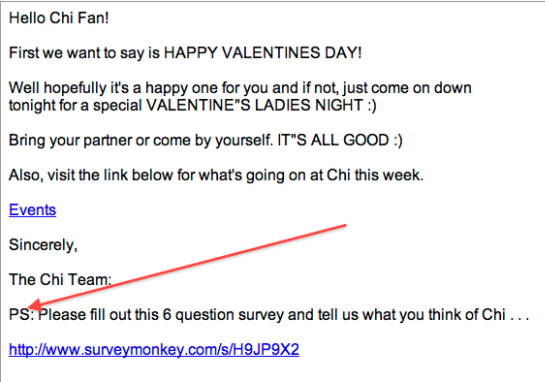
Here an example of when I was taking care of a super club in Dubai called Chi at the Lodge,
When you use a PS, it’s basically another opportunity for the visitor to take action. However, when you add anything after the PS, it somehow (Psychological effect) makes whatever you talked about in that sentence somewhat important.
You don’t have to use a “PS” in all your emails but definitely use them periodically to increase further action.
Now that you understand the process and how to setup your email sequence, etc.
Let’s look at some additional and advanced strategies that will help you right off the bat.
Strategic Spots To Place Your Opt In Form
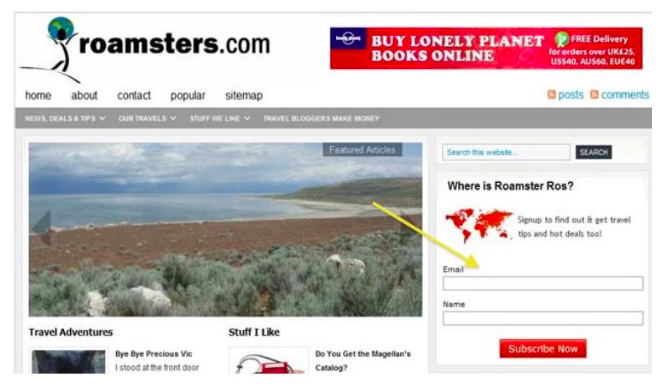
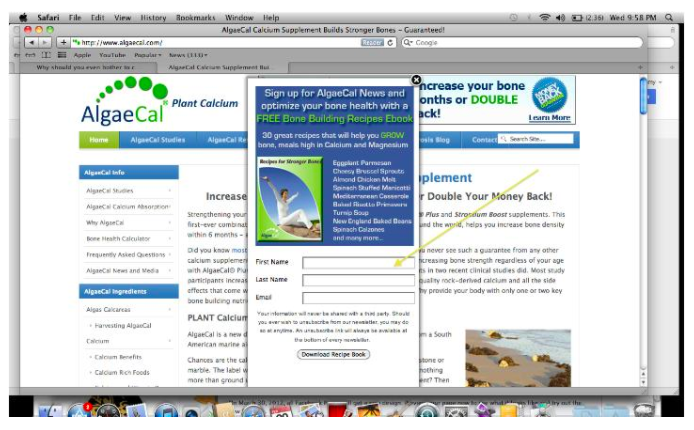
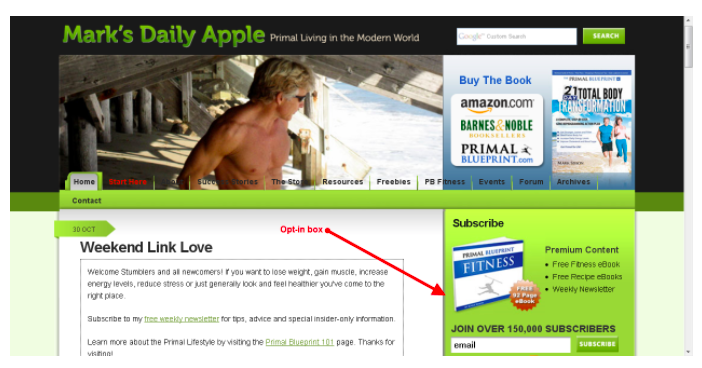
Have you ever seen a website with something similar to any of these images?
Focus on what the yellow arrow pointing at:
Opt-in form in Website’s Sidebar:Opt-in form in Website’s footer
The place where you see the yellow arrow pointing to called an ‘opt in’ form. It’s job to collect email addresses from anyone who interested in giving it.
Also known as an email capture form.
The whole idea to offer something of value to this specific visitor such as an eBook, a free report, discounts etc that will help create a relationship with them. Basically what I shared earlier.
This equivalent to a ‘brochure’ that you might give to someone if they walk into your physical store and in return, you get their contact information.
At this point, the ‘Visitor Type 2’, who responsible for 90 percent of your business, becomes a ‘Lead’.
Where Should You Place Your Opt-In Offers?
Rule of thumb on each visit, you should give your visitor 3 minimum opportunities to sign up.
Remember, this group of people (Visitor Type 2) are 90 percent of your business so it’s only in your best interest to get them to take action.
Let’s discuss the 5 best places to put your opt-in offers.
Hover ad that slides from the .
An opt-in form in your sidebar.
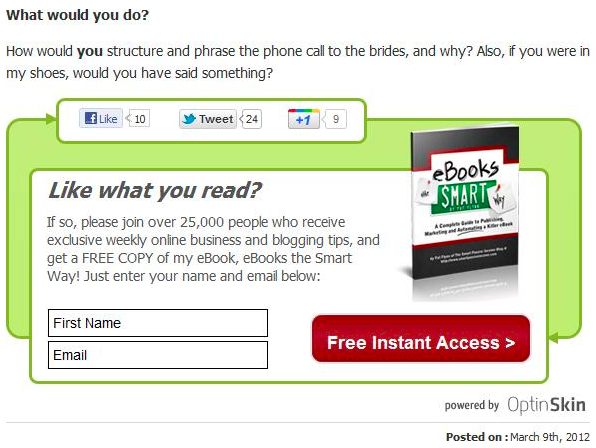
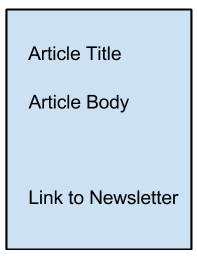
Opt-in form at the end of the your article.
Peel Ads.
Footer Ad.
Hover Ad That Slides From The
A hover an opt-in form that floats from the , sides, bottom (Anywhere you like) of the website as soon as a visitor enters it.
No this not those pop up ads that disappeared as soon as they came across few years ago (And got blocked by popular browsers such as Internet Explorer, Firefox and everyone else).
These are ads that only ‘drop’ in when a visitor comes to your site for the very first time. Of course you can set that part up too but that’s how it works.
Any internet marketer will tell you that yes they Especially if your offer worth it. Anyone calling this annoying someone who hasn’t tried them yet.
I’m really that confident about them and have used them for years and will continue to do so. It’s all about how you you use them.
An Opt-In Form In Your Sidebar
This the tried and tested way of getting leads. The best place be right at the or at the second level. You can test different places out but the higher the better.
Opt-In Form At The End Of The Your Article.
When a person reads your article and likes it, it’s your job to guide them further. Why not guide them to sign up to your newsletter?
“Hey if you like this article? sign up below and every week you’ll get tons of awesome information!”
See what I’m saying . . .
When posted at the end of an article, this works very well. Especially if the user likes your article. At this point, when the visitor feeling ‘pumped up’ about the information you just shared and excited about it, this the best time to direct your customer to your newsletter offer. Put an opt-in form at the end of an article with a nice ‘Call to action’ and it will definitely increase your customer database (Leads).
Peel Ads
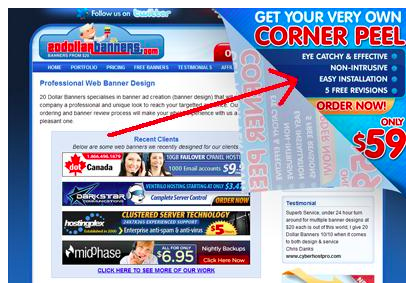
This what a peel ad looks like. It’s basically flash and I’m not going to lie, it actually looks pretty good.
Low on performance but still pretty good. I think it all matters on your offer and your website but overall, it performs to a certain degree but not as good as a sidebar or a hover ad.
Definitely raises the ‘perceived value’ of your site though which always a good thing.
Just thought I’d share it with you.
Footer Ad
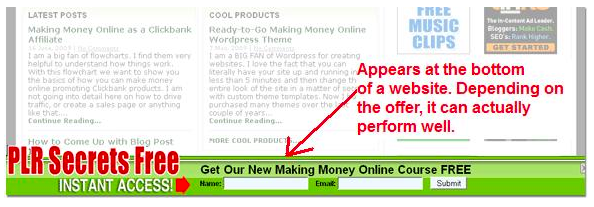
I’m a fan of footer ads and if you use them right, they can really produce good results. Don’t make them too annoying or they won’t . Use them once indefinitely and they great.
However, my tests have shown that they do if you have a nice offer.
The idea to test different offers and see what works for you and your target . The Hover Ad, The sidebar and the footer links are just the methods to help you convert more of your traffic.
How To Setup Your Opt-In Offer?
I want to make a point here before you move further.
A lot of people confuse ‘Features’ with ‘Benefits’.
If you want your visitor to take any kind of action, always focus on the benefits.
Nobody cares how ‘’ your . That a feature.
A benefit would be “No more waiting for hours” or something similar to that . . .
Remember, focus on benefits, not the features.
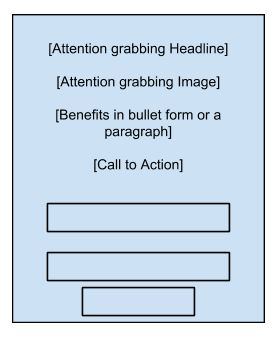
Add a link (Not an ‘opt-in’ form) at the bottom of your article.
If you are not interested in putting an opt-in form, try putting a link at the bottom of your post or article that reads something like:
“If you like this article, click here and join my newsletter”.
Than direct this link to a squeeze page aka landing page. I discuss this method next.
Landing Pages Convert Higher
A squeeze page or a landing page a page that contains nothing more than your opt-in form or other very few elements.
The idea to get the visitor to just focus on the opt-in form so we can literally “squeeze” their contact information out of them.
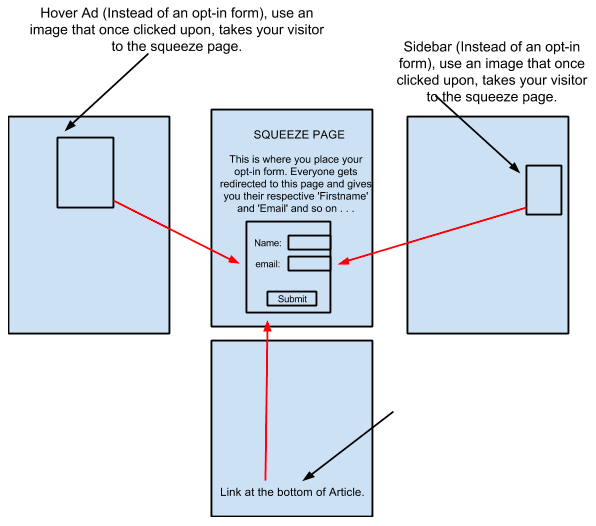
So if you replace opt-in email forms with just images leading to a landing page, your conversions just might be a lot higher.
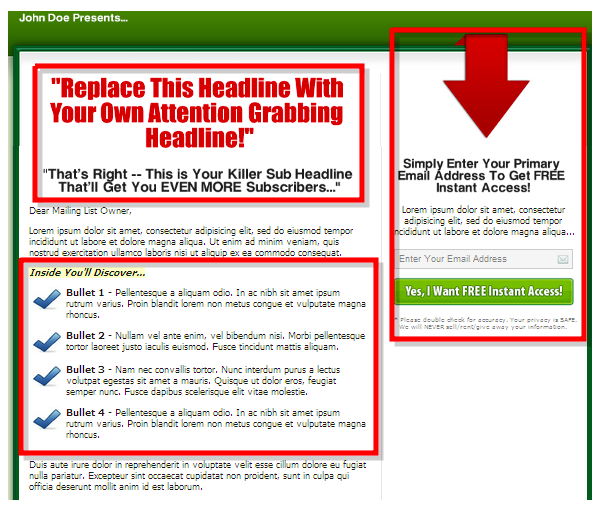
Example of a squeeze page:
Here how the “Links re-directed to a squeeze page” would look like:
In my opinion, if you can really drive traffic to a landing page, the conversions are much higher. Minimum 20 percent conversion rate in my experience. Yes it’s that’s high.
That said, using an email form where necessary a method and always performs at a steady respectable rate.
Test what works for you.
List Segmentation
90 percent of people don’t do this and even I myself was a little too late to this party (As the company that I was working for demanded this).
List segmentation basically means dividing your list up into more smaller more targeted lists.
By the way, the word “List” refers to your customer database that you built using your opt-in forms.
Basically people who signed up (Visitor Type 2).
Let me give you a personal example:
Few years ago, I was working at a nightclub in Dubai as their Events Manager and SEO / Social Media consultant. We started our Autoresponder / Newsletter system and finally started building a customer database that we can to on a weekly basis.
However, soon some customers started complaining and started replying to our newsletters with “I don’t care about R&B music acts, I just like House! Stop inviting me on R&B nights please!” and vice versa.
This meant that It was naturally time to segment or divide our list (Customer database).
I quickly added another option on all our opt-in forms on our website:
“Please select your music type” and gave them two options “House” & “R&B”.
Soon our list became segmented properly and we started getting more revenue without pissing people off.
We gave the people what they wanted and we kept winning.
You can segment your list in a lot of ways but another popular way to segment your list by customers who buy more products and by customers who don’t spend that much.
You see, you can segment your list in a lot of ways. Depends on what your business demands and what works.
Ask For The First Name
[First Name]
When it comes to sales, it all comes down to building relationships.
It’s very hard to build a relationship with someone when you don’t even know their name so getting your visitor’s first name essential.
There a also a psychological reason behind getting your visitor’s name and that when you ask for a visitor’s name, it raises the perceived value of your site.
Unless you are already an authority in your niche, people will have a hard time just giving out their email address.
Asking for the first name makes the visitor more comfortable to give their contact information when compared to someone just asking for an email address.
So always give the visitor an opportunity to enter their first name in your opt-in form.
Attention Grabbing Email Titles To Increase Open-Rates.
You can have the best information but if your emails are not even being opened, than you are pretty much done for.
That’s what ‘Open-Rate’ refers to.
Keep your email subject lines short, keep them personalized (Always use a person’s first name) and keep them to the point.
Hype not necessary, keep it real.
For example:
[Firstname], get 75 percent off cookware and metal utensils.
[Firstname], your Weekly Newsletter ready.
How To CRUSH Negative SEO Attacks Like Amazon
In the last three years, every site that I’ve worked with got hit by negative SEO. Bottom line if you get on the first page for a half decent keyword, someone will try to attack you.
No matter what industry or niche you’re in.
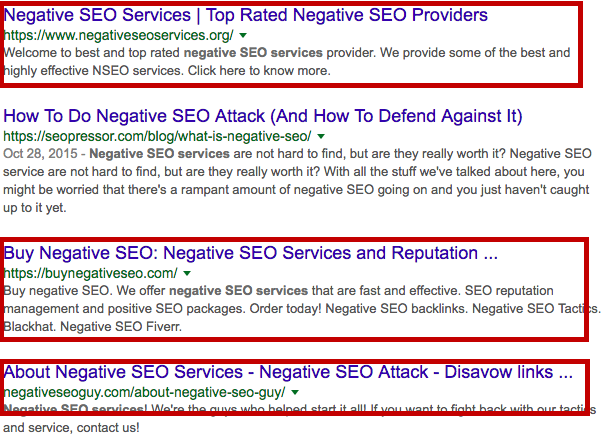
In fact, if you type in “Negative SEO Services” on Google today, you’ll these kind of results.
Yeah . . . It’s really that easy . . .
Believe it or not, the chances of your site getting hit by Negative SEO are as real as gravity so the sooner you accept it, the better off you’re going to be.
Most recently, (Twice in 2017) two of my clients got hit by Neg SEO. One after reaching on the first page for their desired keyword and the second after getting close to that promised land.
I could understand getting attacked when I was doing SEO in the pharmaceutical niche but why the heck would someone want to attack a site in the education or 3d printing vertical?
I mean aren’t these two niches supposedly helping mankind?
Anyways, I’m not the one to pass any judgement so let’s see exactly how Amazon and other major brands deal with a Negative SEO attack.
How to deal with Negative SEO attacks
When it comes to NegSEO, the best offence a good defence.
Prevention definitely the key here.
You can’t avoid a neg seo attack but you can definitely minimize it to such an extent that it never becomes a big deal in the first place.
The trick to disavow these bad incoming links before the majority of them gets indexed. That’s when the trouble really begins.
How do you disavow toxic links?
Enter Cognitive SEO . . .
It’s okay. I know you’re like what in the holiest of holy CognitiveSEO?
Well 99.9 percent of SEO’s haven’t heard of this incredible tool.
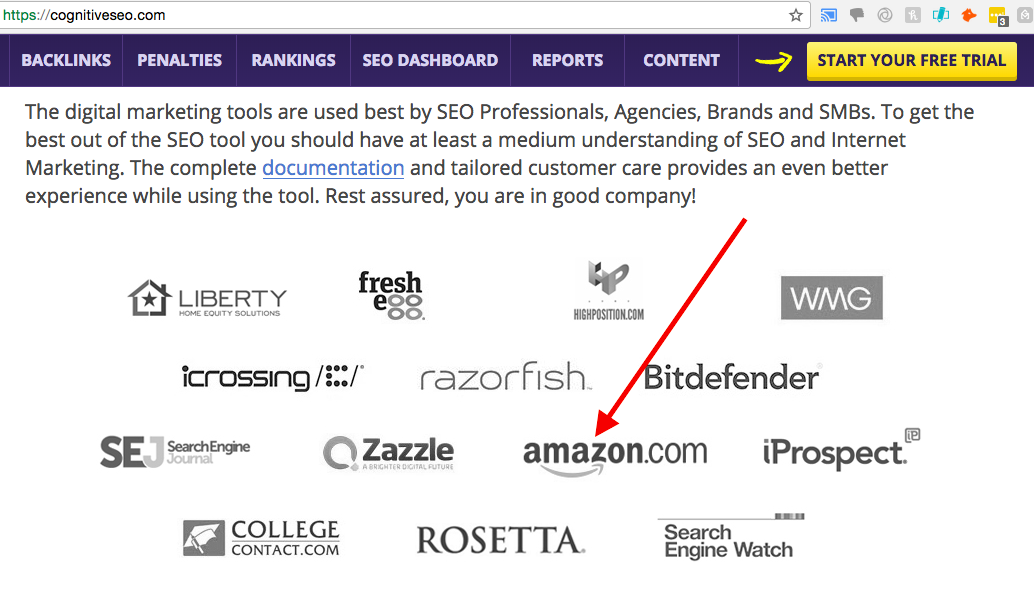
This what Amazon uses to crush Negative SEO attacks on their site on a regular basis and maintains their notch SEO.
If you think you have issues with NegSEO can you imagine the crazy attacks Amazon has to put up with?
I’m talking daily attacks.
That’s why you need a real solid tool that doesn’t mess around and completely removes toxic incoming links.
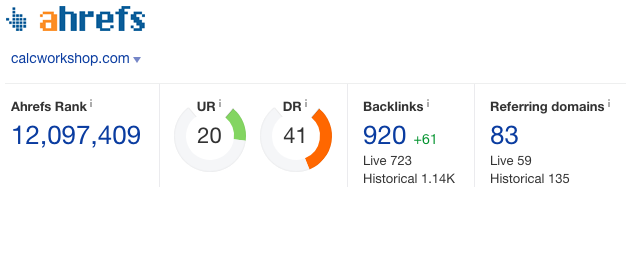
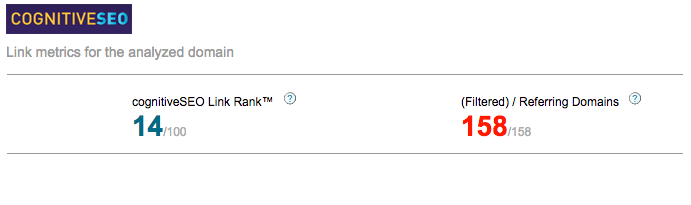
Below a comparison of AHREFS and Cognitive SEO.
I ran the domain calcworkshop.com on both, the results were not even close.
PLEASE NOTE: This service makes AHREFS looks like a sad little baby because Cognitive SEO really goes deep.
VS
If you look at the referring domains, CognitiveSEO shows a whopping75 more domains.
That’s literally 48 percent more domains found.
Shocking ain’t it?
Especially if you’ve been a loyal AHREFS user.
I still use AHREFS but when I want to take a real deep look at someone’s backlink profile, Cognitive SEO can’t be beat.
In fact, I’ve been using it for about 3 years solid.
So after getting killed in the SERPs back in my pharma days (At least initially), I went on a search frenzy to figure out what the heck was going on. I almost had zero negative seo experience back then so needless to say, I had to learn how to defend our pharma sites and future sites .
So it was during my pharma days that I got a chance to connect with Matthew Woodward. One of the best and nicest SEO’s in the game. In fact, he answered some key questions and guided me in the right direction.
One thing to another and soon I discovered Cognitive SEO.
Thanks to Cognitive SEO, it was all a breeze and a much needed relief for all.
I also managed to get our client on the first page for ‘Canadian Pharmacy’ soon after.
In a 100 percent white hat way too. A 40k+ a month keyword which increased the business by an additional 30 percent.
How Does Cognitive SEO ?
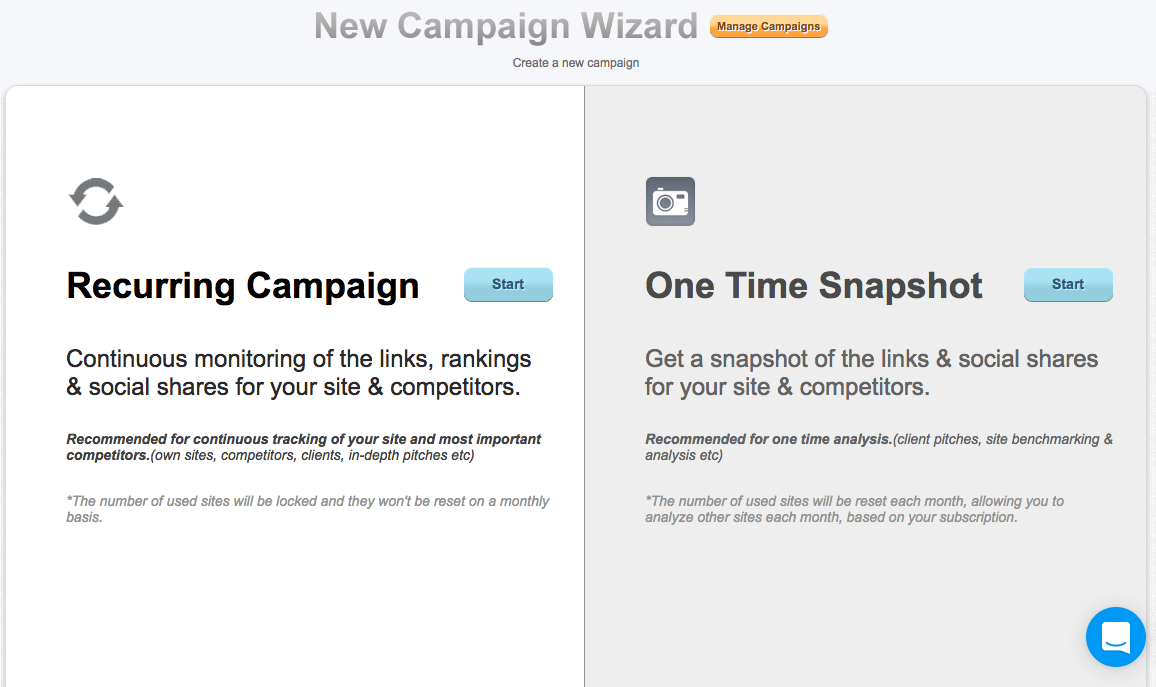
Step 1: Create a campaign.
Here you will get two options:
Recurring Campaign
One Time Snapshot
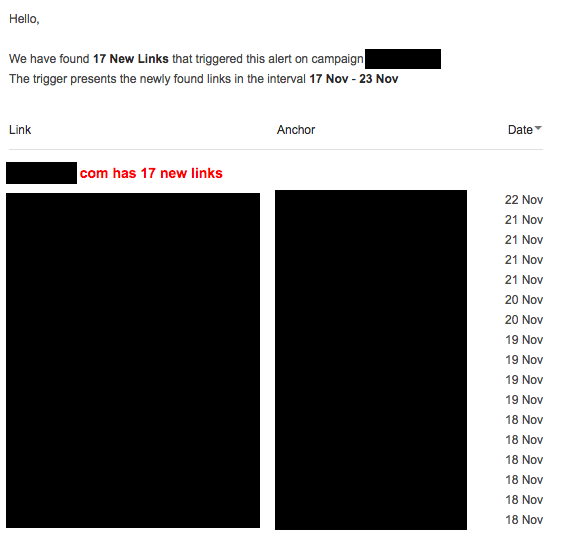
I use option one for clients to continuously monitor their backlink profile. When you choose the recurring option, CognitiveSEO sends you daily, weekly or bi-weekly alerts when someone links to you. This THE best monitor who linking to you.
Here an example of these alerts:
Plus once you see any weird links, you can easily add them to your disavow list and upload it to Google’s Search Console.
Cognitive SEO can also do it for you. I just recently started using their disavow feature and it’s quite convenient. I use to do it manually before.
So once you sign up and go through the basic steps (Define your keywords, etc), you will see something like this:
Now let’s get to the real MEATY part of this service.
How do you those negative seo links?
You start by clicking on ‘Inbound link analysis’ (2nd from the left) .
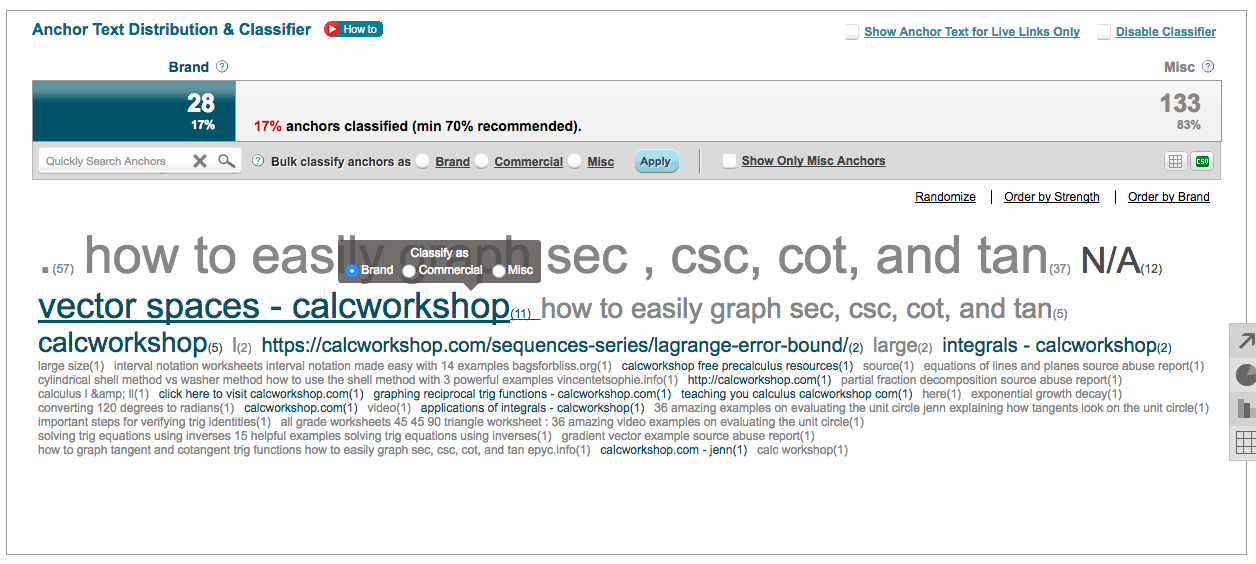
Next step to scroll down a bit and define if the anchor texts that are on the links leading to your site represent your , commercial or just miscellaneous.
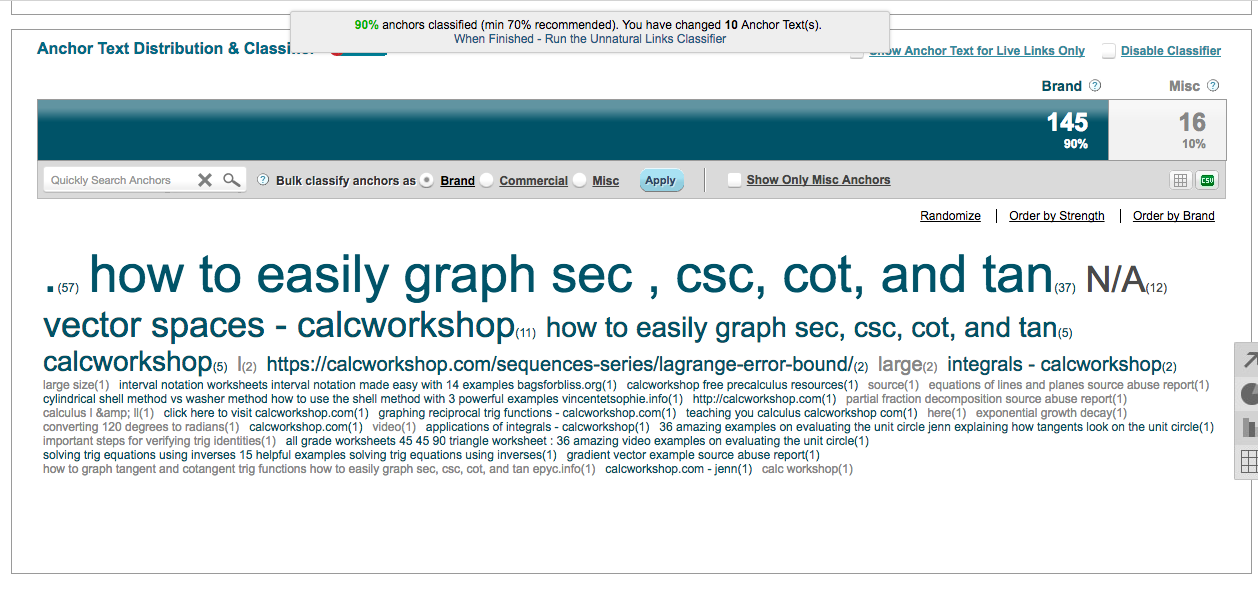
The way it works after you classify these anchor texts appropriately (Up to 70 percent, then you can run something called the ‘Unnatural Link Classifier’.
This how it should look like when it’s ready:
Now click on the link (2nd line) that reads: “When Finished – Run the Unnatural Links Classifier”.
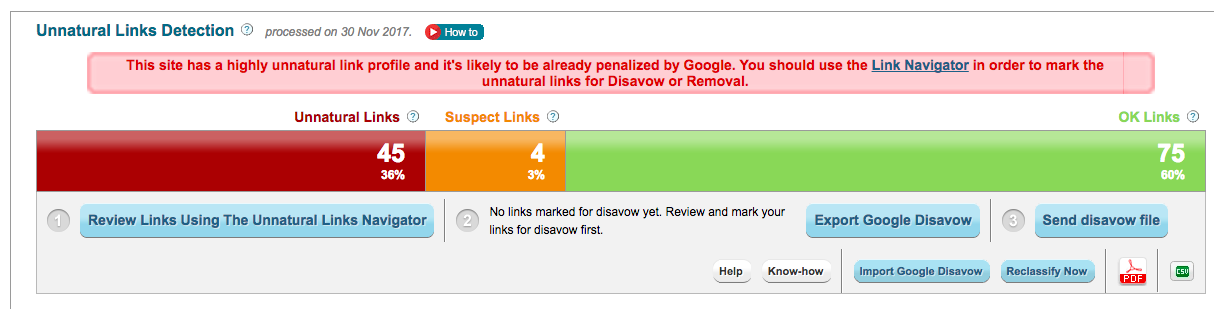
See that red bar?
Isn’t that awesome! Well technically not but at least now you know what the issues are right?
However, this next step what separates Cognitive SEO from the rest.
Click on that red bar (Unnatural Links) and you’ll see the following:
That’s right!
Now you know EXACTLY which links to disavow.
They are presented to you on a nice little platter on the right side.
Like I said, no other tool even comes close.
So as soon as you see any toxic links here, simply export them to manually disavow them or use Cognitive SEO’s built in feature.
Bottom line . . . bye bye Negative SEO!
How Do You Define A ‘Weird’ or Toxic Link
Here the thing . . .
Just because a link looks bad, doesn’t mean it’s bad.
That goes for .ru links (Russian links) and others as well.
Yes just because you think it’s toxic, doesn’t mean it .
It might just be a low quality link.
Believe it or not, majority of links to ANY site are low quality links.
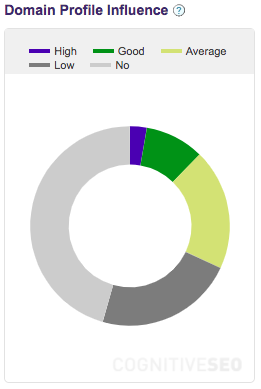
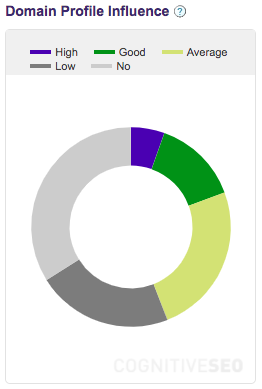
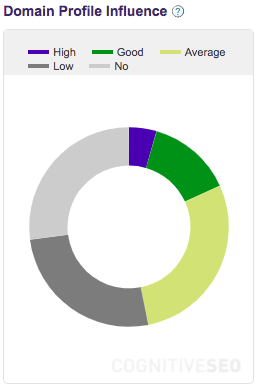
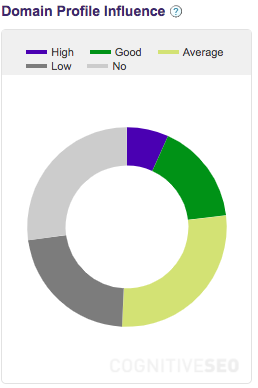
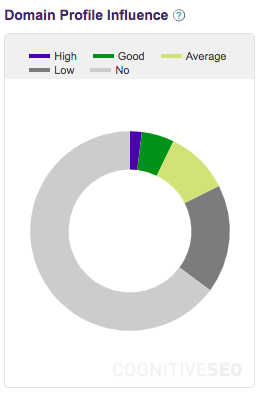
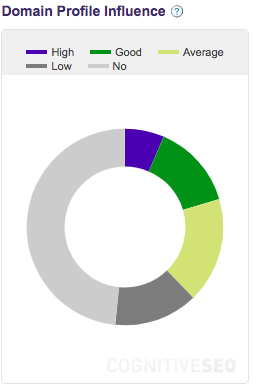
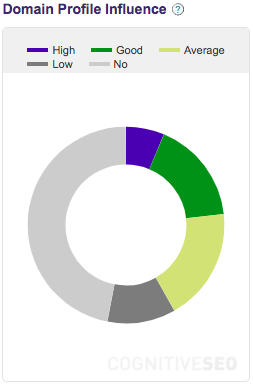
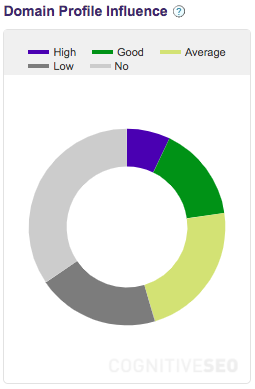
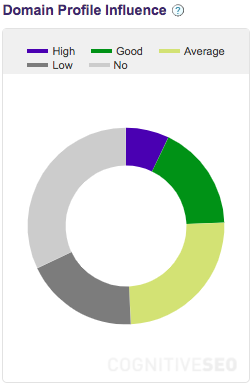
Have a look below at the backlink profile of some of the most popular sites in the world.
DARK GREY represents low quality links.
LIGHT GREY represents no quality at all. ( sites, abandoned blogs, etc).
As you can see, there nothing wrong with having low quality links to your site as they still pass link juice.
So be careful when you disavow any links as the combined disavowing effect can actually drop your rankings.
It happened to me in the pharmaceutical niche 🙂
Oh the joys of learning things as you go . . .
So be very careful what you disavow. Do your due diligence on every link that may feel like it’s not a toxic one.
Since doing SEO in the pharmaceutical niche, I have had a lot of experience in catching these links. I’m at a point where I can take a 3 second look and tell you if it’s a low quality site or just good ol’ toxic spammy link.
Lucky for us though, Cognitive SEO does an amazing job of classifying the real toxic links.
I hardly ever have to do a double take on a toxic link uncovered by Cognitive SEO.
This tool has literally shaved off hours off my time.
RULE OF THUMB:
If Cognitive SEO considers a link potentially spammy and it’s not related to your niche, just disavow it.
Another additional precaution you can take check the TF (Trust Flow) of that link on Majestic. If it’s over 30 then keep it.
However, if CogSEO placed it as a potential bad link, I highly doubt the TF will ever be that high.
I know it’s a high bar but Google has already clearly shown that incoming links are your responsibility, not theirs.
So how do these toxic links looks like?
Examples of Negative SEO Attacks:
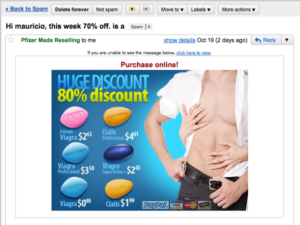
This your classic spam link. If you suddenly start getting all kinds of forum links, most likely they are similar to this. You have to give credit to these guys because although they will have a few links pointing to your site, the main image usually leads to their own page. So even when they are trying to negative seo your site, they are still open for a sale 🙂 Props for the hustle 🙂
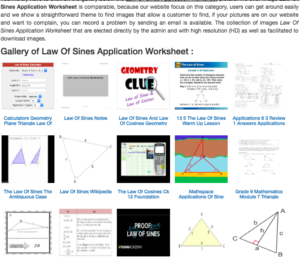
These are auto generated. When Pinshape got attacked, instead of geometry or triangles that you see here, they were all covered with 3d printed items and images from Thingiverse, Myminifactory (Two other similar sites) and even Pinshape. These are incredibly crappy sites so disavow them right away. As you will see below, they also come in different variations.
See those letters above in the blue bar? Most likely made by the same person. Just a common second variation of the same attack.
This third variation of this annoying Negative SEO attack. This time, the links are on the right instead of under the images like in the first example or in alphabetical form.
Keep in mind these are not the ONLY form of Negative SEO. There are bad directories, blogs, etc but these are the ones that stand out. I’ve seen them in various niches that I’ve ranked for.
The Deadliest Type Of Negative SEO . . . Yet
So you can probably stop 99 percent of negative SEO attacks by using Cognitive SEO on a surface level but this one attack almost killed one of my client’s site.
It actually took two months to discover what the exact problem was.
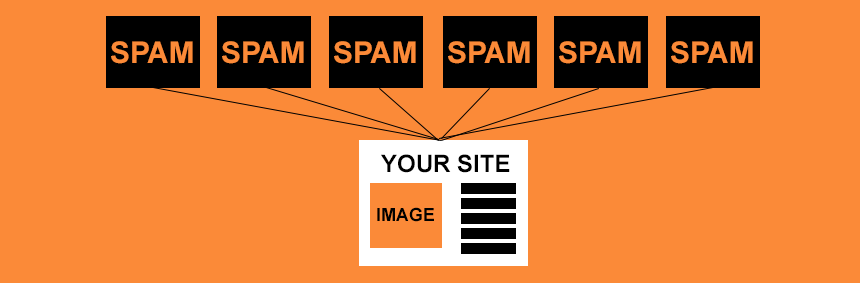
Here how a typical neg seo attack looks like:
As you can see, all the spammy links are just being pointed to your page or towards other pages on your site.
Sucks but not a big deal.
Just run Cognitive SEO, do your due diligence on a few links, create the disavow file and you’re good to go.
I’ve done it several times.
No problemo at all.
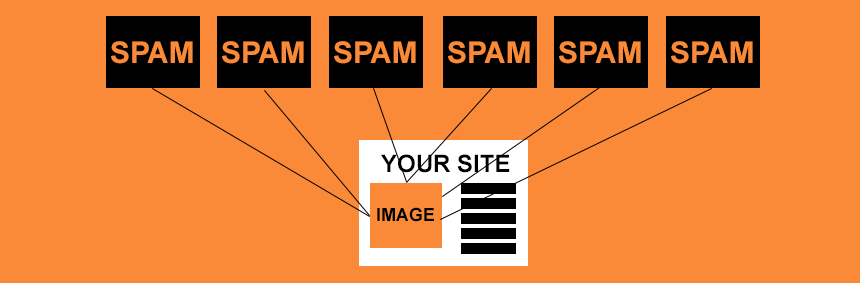
However, this what that super deadly and annoying attacks looked like (Can you guess where the links were pointing to?):
Yup!
Those sneaky buggers!
All the links were pointing to the images on the site.
Since the images were hosted on a sub-domain, Cognitive SEO couldn’t them.
The reason they were hosted on a sub-domain was because that’s actually the proper way of doing it.
Especially if you have a large site.
Why?
Images hosted on a sub-domain load faster.
Site speed definitely something that Google encourages these days and this one of the best ways to speed things up.
Main reason your images will be hosted on a completely different domain so for Google, the path to download your images will be super clean as compared to hosting on your main site with all that other data (Text, code, javascript, etc).
No wonder all the big boys are now doing this as well.
Site
Domain Images Are Hosted On
Amazon
images-na.ssl-images-amazon.com
Facebook
https://scontent-sea1-1.xx.fbcdn.net
Shopify
cdn.shopify.com
Wordpress
https://s.w.org/images/home/
Youtube
https://i.ytimg.com
Tumblr
https://78.media.tumblr.com/
Forbes
https://specials-images.forbesimg.com
eBay
https://ir.ebaystatic.com
Bodybuilding.com
https://store.bbcomcdn.com
Bestbuy.ca
https://multimedia.bbycastatic.ca/
Looks like a lot of these guys are now hosting images on entirely different domains.
I think it’s because of the shear size of these sites but in your case, at least get your images on a sub-domain.
Like Shopify doing it. That would be a great start.
Going back to the NegSEO attack when using Cognitive SEO, you need to setup a different campaign for sub-domains.
So as weeks started going by and even after disavowing what I could, our traffic was just not picking up.
So I dug deeper and started “testing” our site from different angles.
I used Cognitive SEO’s Site Explorer Tool (I usually use this to broken links on a site) and found a whole bunch of broken images. I was like “Hey this odd . . .” and although the broken images did exist (Pages they were on were 404’d), something just didn’t feel right . . .
Then it hit me . . .
Let me run the same analysis on the URL of these images one by one (Subdomains).
So I setup a campaign but this time, I used the sub-domain and low and behold, all the spammy links were pointing to these images and tons more.
How Did I Solve This
I ran the ‘ Campaign Wizard’.
Added the subdomain (myimages.maindomain.com) here instead of the main domain like I did in an earlier example.
Followed the same steps in which I run all the links through the analysis and the toxic ones.
Got the the toxic backlinks and manually disavowed them.
A month later, traffic started coming back up.
The main lesson here was always run all your domains (Main, Sub-domains, etc) through a regular negative SEO check. Don’t just monitor backlinks on your main domain but everywhere!
In conclusion, Negative SEO going to be around and will probably morph into something more deadly.
However, as long as there are tools like Cognitive SEO around, you should be alright.

 Exactly.